3D Printer
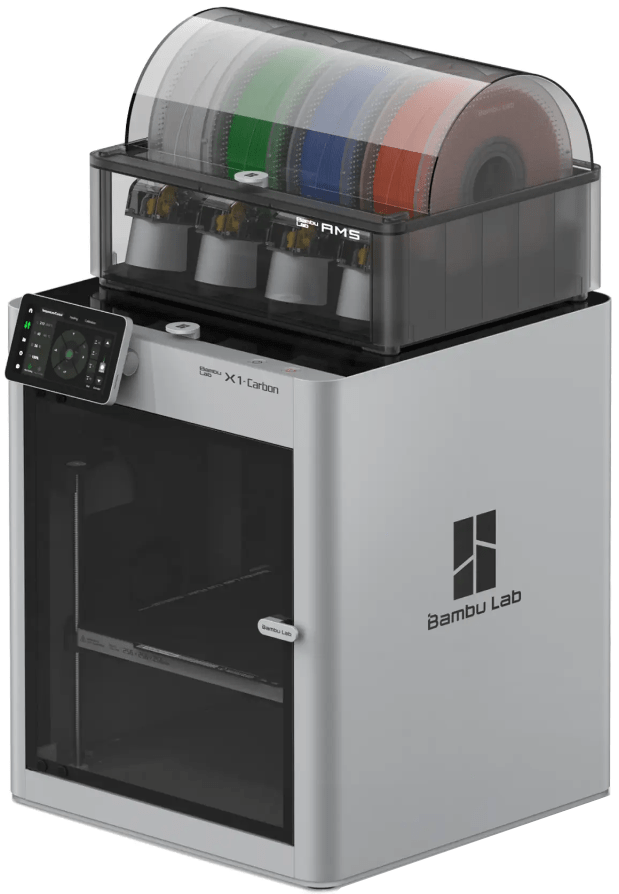 The library has two 3D printers: a Bambu X1C and a Lulzbot Mini 2. All 3D printers are operated by Makerspace staff due to their complexity and the time it takes to print items. We do love giving tours of the machine and explaining how to submit prints, where to find or make files, etc. Feel free to request an appointment for a mini machine tour or drop in when the Makerspace doors are open.
What is 3D Printing?
3D "printing" actually refers to the gradual build-up of heated plastic filament in very thin layers—usually just .1 millimeters thick. Filament comes on spools that feed into the 3D printer's extruder, which is similar to the tip of a glue gun. The extruder typically reaches temperatures of 400–550°F to melt the different types of plastic filament. The tiny layers it creates stick together to form a solid object.
Library Printer FAQ's
- Build Space:
- Bambu X1C: 10" x 10" x 10"
- Mini 2: 6.30" x 6.30" x 7.09" (high)
- Accepted File Types:
- Bambu X1C: .3mf, .stl, .step/.stp, .obj, .amf
- Mini 2: .stl and .obj
- Cost: 10¢ per gram of filament used, sales tax included.
- Prints taking 12 hours or more will not be accepted as print jobs.
- Filament Options